Wireless Remote Control & Adjustable Phone Stand
Wireless Remote Control & Adjustable Phone Stand


Couldn't load pickup availability

Wireless Remote Control & Adjustable Phone Stand
SMARTER HANDS-FREE LIVING
ScrollMate™
Wireless Remote Phone Stand
Your phone, your comfort, your control. Enjoy hands-free scrolling, effortless video watching, remote photo capture, and convenient reading with one adjustable phone stand and wireless remote.

ONE SMART COMBINATION
Why Keep Reaching for Your Screen?
Watching videos, browsing social media, reading on your phone, or taking pictures doesn't always need to involve holding your device.
ScrollMate™ combines an adjustable desktop phone stand with a wireless remote, helping you control compatible phone functions from a more comfortable distance.

01 · HANDS-FREE SCROLLING
Your Favorite Content, Without Constant Tapping.
Browse compatible short-video and social media apps using the wireless remote. Scroll through content, pause playback, and adjust volume without repeatedly touching your phone.

⬆️ Scroll Up & Down: Navigate compatible content with the remote.
⏯️ Play & Pause: Control supported video playback.
❤️ Quick Interaction: Use supported like and continuous interaction functions.
🔊 Volume Control: Adjust audio without reaching for your phone.

02 · ADJUSTABLE DESKTOP STAND
Find Your Comfortable Viewing Angle.
Set your smartphone on the adjustable holder and position it for your preferred viewing angle. Switch between vertical and horizontal viewing to suit different activities.

🔄 Rotatable Design: Adjust the viewing position for different activities.
📱 Portrait or Landscape: Position your phone vertically or horizontally.
📏 Wide Phone Clamp: The listing specifies a maximum clamping width of 3.8 inches.
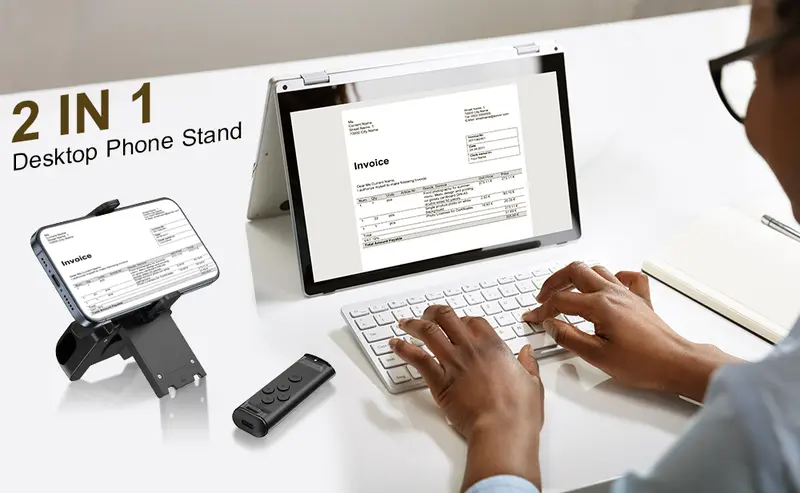
🖥️ Desktop Convenience: Keep your screen visible while working, reading, or relaxing.

03 · REMOTE CAMERA CONTROL
Get Everyone in the Picture.
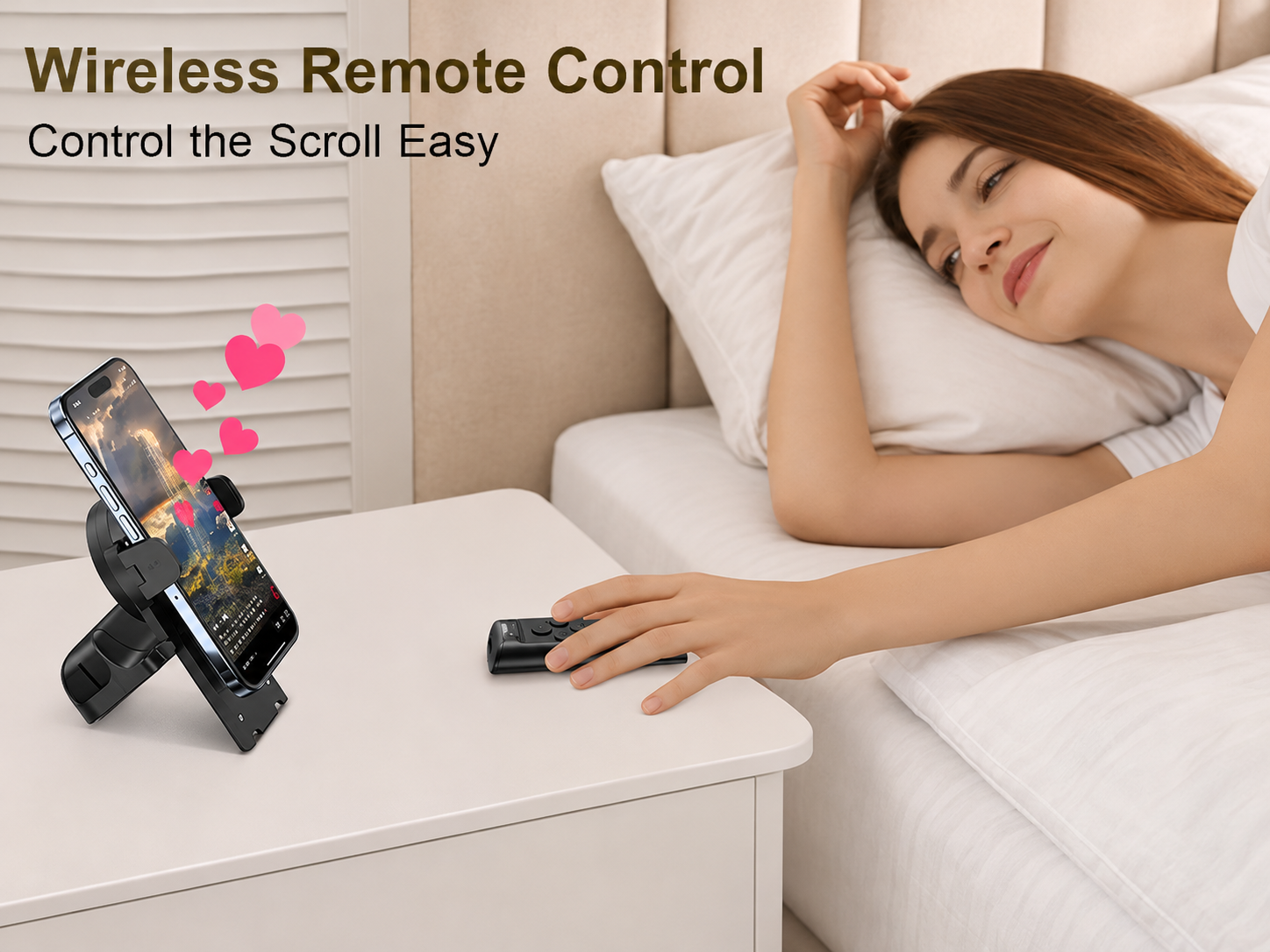
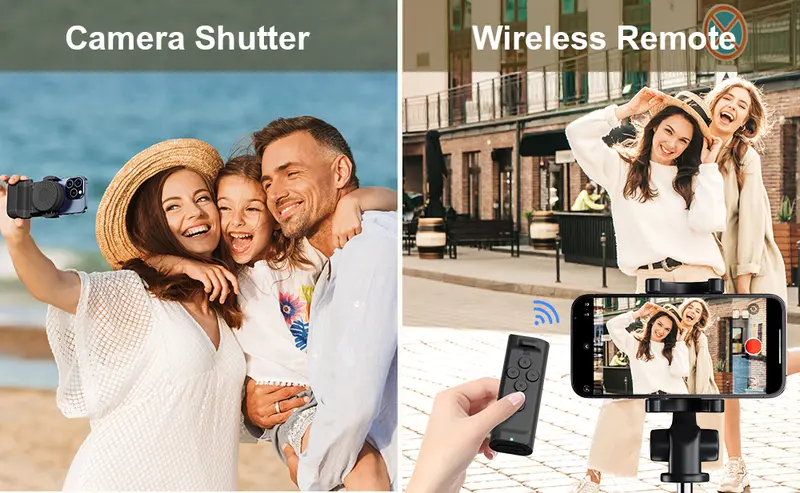
Place your phone on the stand, step into position, and use the detachable wireless remote to capture photos or start video recording from a distance.

📸 Remote Photo Capture: Take pictures without standing beside your phone.
🎥 Video Recording: Trigger compatible camera recording functions.
👨👩👧 Group Photos: Make it easier to get everyone into the frame.
🤳 Solo Content: A convenient option for self-recording and personal content creation.

04 · A MORE COMFORTABLE READING EXPERIENCE
Turn Pages Without Reaching for Your Screen.
Enjoy compatible reading apps on your phone or tablet while using the remote to navigate supported page-turning functions.
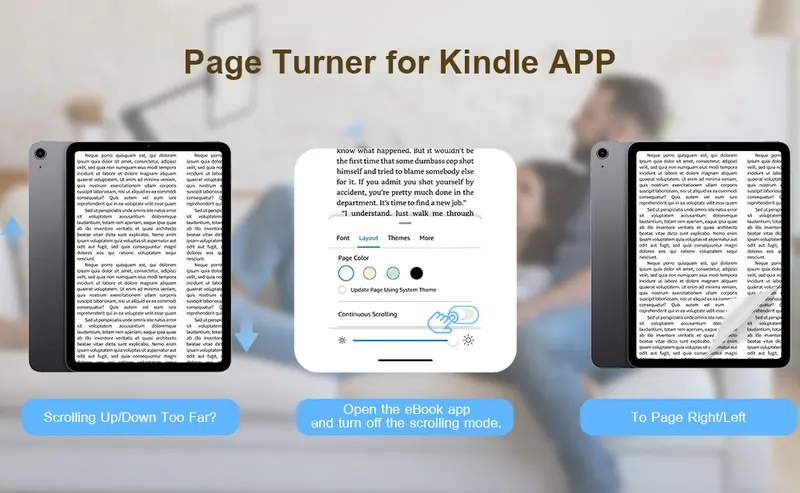
📖 Digital Reading: Use supported reading applications on compatible mobile devices.
🛏️ Bedtime Reading: Keep your phone comfortably positioned on your nightstand.
📚 Convenient Navigation: Turn supported digital pages remotely.

05 · ONE DEVICE, MANY MOMENTS
Fits Into Your Everyday Routine.
From your work desk to your bedside table, enjoy the flexibility of a hands-free phone setup wherever you use your smartphone.
06 · YOUR COLOR, YOUR STYLE
Choose Your Favorite Look.
A clean, modern design available in four colors to complement your desk, bedroom, or everyday accessories.
Available colors: Black · Pink · Purple · Sage Green
07 · RECHARGEABLE REMOTE
Ready for More Screen Time.
The remote is designed for rechargeable everyday use, with a power-saving feature that automatically switches it off after inactivity.

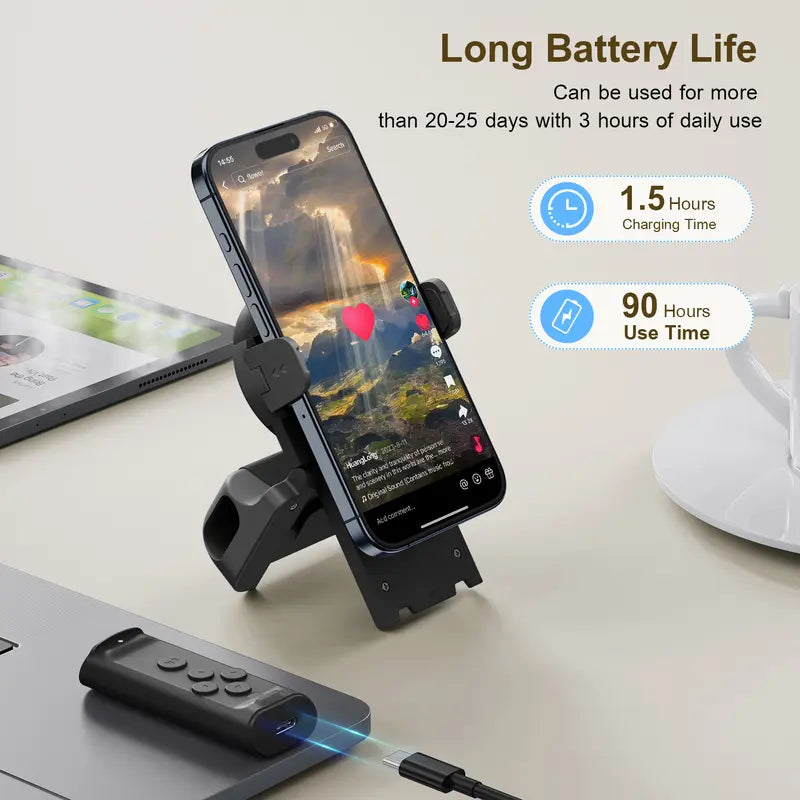
🔋 Up to 90 Hours: Advertised maximum remote operating time per charge.
⚡ Approx. 1.5-Hour Charging: Charging time stated in the product listing.
💤 Auto Power Saving: The remote automatically powers down after approximately 3 minutes of inactivity.
🔌 USB-C Charging: Recharge using the included charging cable.
08 · CHECK DEVICE COMPATIBILITY
Made for Compatible iOS & Android Devices.
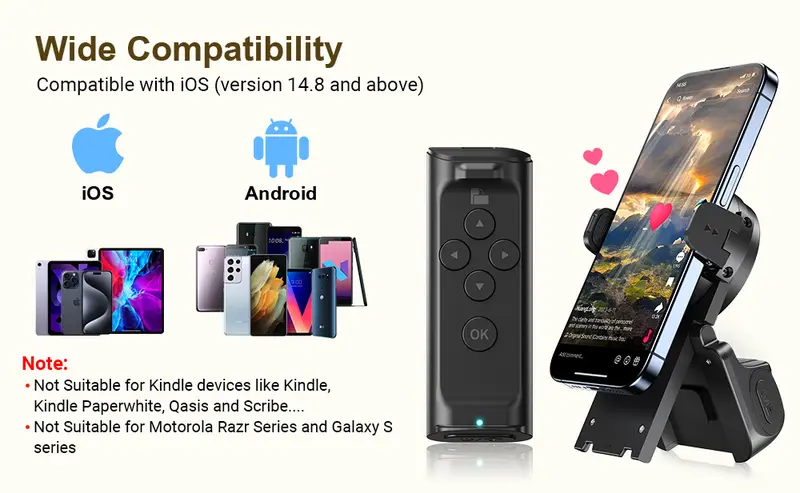
The remote connects through Bluetooth-compatible pairing. Supported functions may vary depending on your device, operating system, and app.

🍎 iOS: Listing specifies compatibility with iOS 14.8 and above.
🤖 Android: Compatible Android devices with Bluetooth support.
📱 App Support: Controls may vary across social media, video, camera, and reading apps.
09 · EASY CONNECTION
Connect and Start Using Your Remote.
A simple Bluetooth-compatible setup gets your remote ready for supported phone functions.

Step 1: Press and hold the remote power button for approximately 3 seconds.
Step 2: Enable Bluetooth on your compatible phone.
Step 3: Find and connect to the TK-Pro device.
Step 4: Test the supported remote functions in your chosen app.
Important: The product listing specifies an additional Accessibility Zoom setup for iPhone/iPad pairing. Follow the included instructions and restore your preferred screen settings afterward.
10 · WHAT'S IN THE BOX
Everything You Need to Get Started.
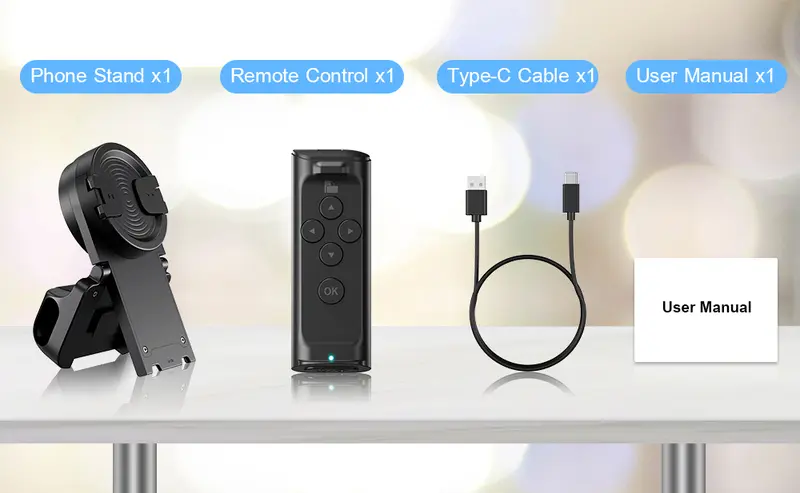
The selected set includes the phone stand, wireless remote, charging cable, and user manual.
PRODUCT INFORMATION
Specifications & Details
| Product Name | ScrollMate™ Wireless Remote Phone Stand |
| Product Type | Adjustable Phone Stand & Wireless Remote |
| Connection | Bluetooth-Compatible Remote Pairing |
| Phone Clamp Width | Up to 3.8 Inches (as listed) |
| Remote Range | Up to 65 Feet (advertised maximum) |
| Battery Life | Up to 90 Hours (advertised maximum) |
| Charging Time | Approximately 1.5 Hours (as listed) |
| Charging Port | USB-C |
| Colors | Black / Pink / Purple / Sage Green |
| Compatibility | Compatible iOS & Android Devices |
| Package Includes | 1 Phone Stand, 1 Remote, 1 USB-C Cable, 1 User Manual |
Operating time and wireless range are advertised maximums and may vary with usage, environment, phone model, and app compatibility.
⚠️ Compatibility Notice
The listing states that this product is not compatible with Motorola Razr series or Samsung Galaxy S series. It also does not support standalone Kindle, Kindle Paperwhite, Oasis, or other dedicated Kindle hardware. Kindle app reading on compatible phones/tablets is a separate use case. Please check your device before ordering.
GOOD TO KNOW
Frequently Asked Questions
Q: Does this product include both the stand and remote?
Yes. The listed package includes one adjustable phone stand and one wireless remote control, along with a charging cable and user manual.
Q: Can I use it to scroll through short videos?
Yes, it supports scrolling and other controls in compatible apps. Actual functionality depends on the phone and application.
Q: Can I use the remote to take pictures?
Yes. The detachable remote is designed to trigger compatible phone camera functions from up to 65 feet away under suitable conditions.
Q: Can I use it with Kindle?
It may work with compatible reading apps installed on phones or tablets. It does not support standalone Kindle devices such as Kindle Paperwhite or Oasis.
Q: How far away can I control my phone?
The listing advertises a maximum remote range of 65 feet. Actual range can vary depending on obstacles and surrounding wireless interference.
Q: How long does the remote battery last?
The advertised maximum use time is up to 90 hours per charge, depending on usage and operating conditions.
Q: Is it compatible with all smartphones?
No. Compatibility depends on device model, operating system, and app. Motorola Razr series and Galaxy S series are specifically listed as unsupported.
Q: What should I do if the remote won't reconnect?
Follow the included pairing instructions. The listing suggests pressing and holding the Power and OK buttons together to disconnect the previous pairing before reconnecting.
SCROLLMATE™ · SMART PHONE ACCESSORIES
Less Reaching. More Enjoying.
Your Screen. Your Space. Your Control.
Make everyday scrolling, reading, watching, and capturing moments more convenient with one smart wireless phone stand combo.